


Grade 4 multiplication lesson
Area Model Multiplication: Grid Method, Steps, Examples, and Worksheets
Area model multiplication breaks numbers into place-value parts, multiplies each rectangle, and adds the partial products to get the final answer.
What is area model multiplication?
Area model multiplication is a way to multiply by using a rectangle. The rectangle is split into smaller rectangles, and each smaller rectangle shows one partial product.
The method is friendly because it turns one big multiplication problem into smaller facts that are easier to see. You split by place value, multiply each part, and then add the parts together.
For example, 17 x 14 can become 10 x 10, 7 x 10, 10 x 4, and 7 x 4. Those four smaller answers add up to the full product.
Why the area model helps
The area model makes place value visible. Students can see tens, ones, hundreds, and partial products instead of only memorizing a vertical method.
It also helps students avoid a common mistake: forgetting that the 3 in 34 means 30, not just 3.
Once the area model makes sense, the standard multiplication algorithm feels less like a trick because students understand where the partial products come from.
Practice worksheets
After the examples, use the Grade 4 Area Model Multiplication Worksheets for printable practice. The worksheet page and this lesson are linked together so students can learn the method, then practice it on paper.
Each worksheet gives students area model boxes where they can write the partial products before finding the final answer.
The four steps
Step 1: Split each factor by place value. For 34 x 12, write 34 as 30 + 4 and 12 as 10 + 2.
Step 2: Draw a rectangle and split it into boxes. A 2-digit by 2-digit problem usually makes four boxes.
Step 3: Multiply to fill every box. Each box is one partial product.
Step 4: Add the partial products. The sum is the final answer.
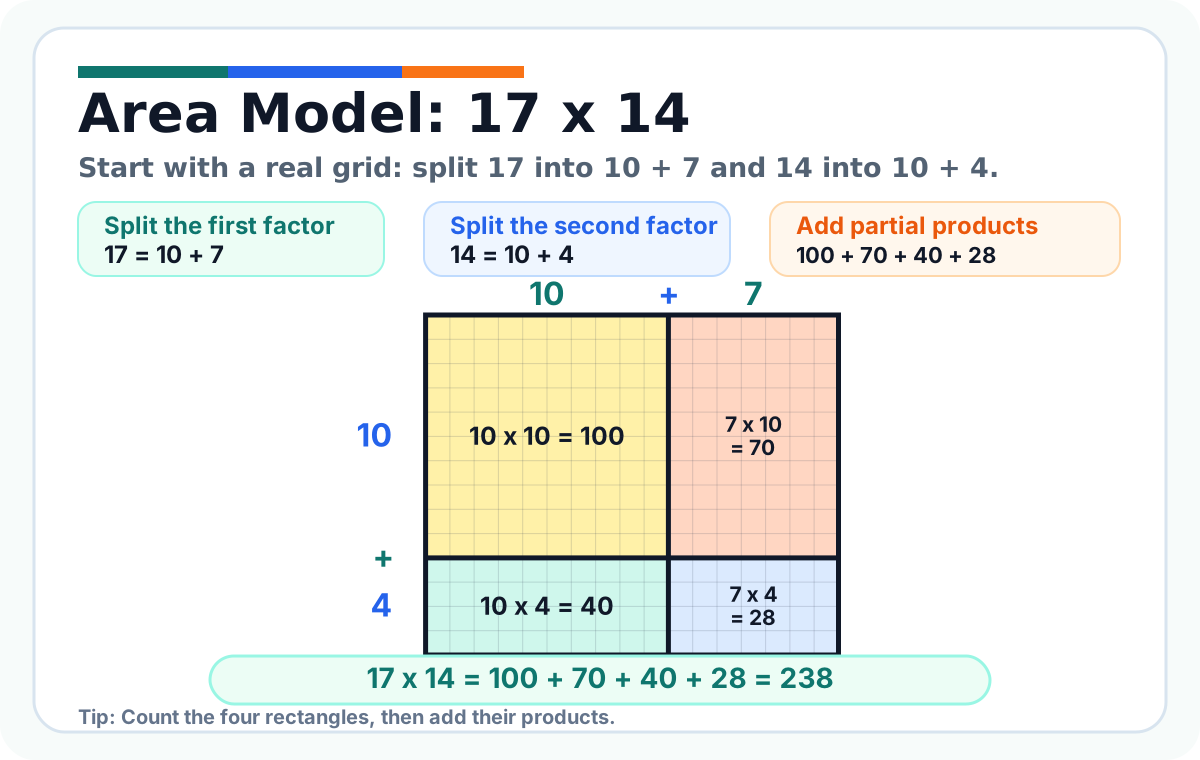
Example 1: 17 x 14
Start with an easy grid. Split 17 into 10 + 7. Split 14 into 10 + 4.
Now multiply every top part by every side part: 10 x 10 = 100, 7 x 10 = 70, 10 x 4 = 40, and 7 x 4 = 28.
Add the four parts: 100 + 70 + 40 + 28 = 238. So, 17 x 14 = 238.
Example 2: 23 x 14
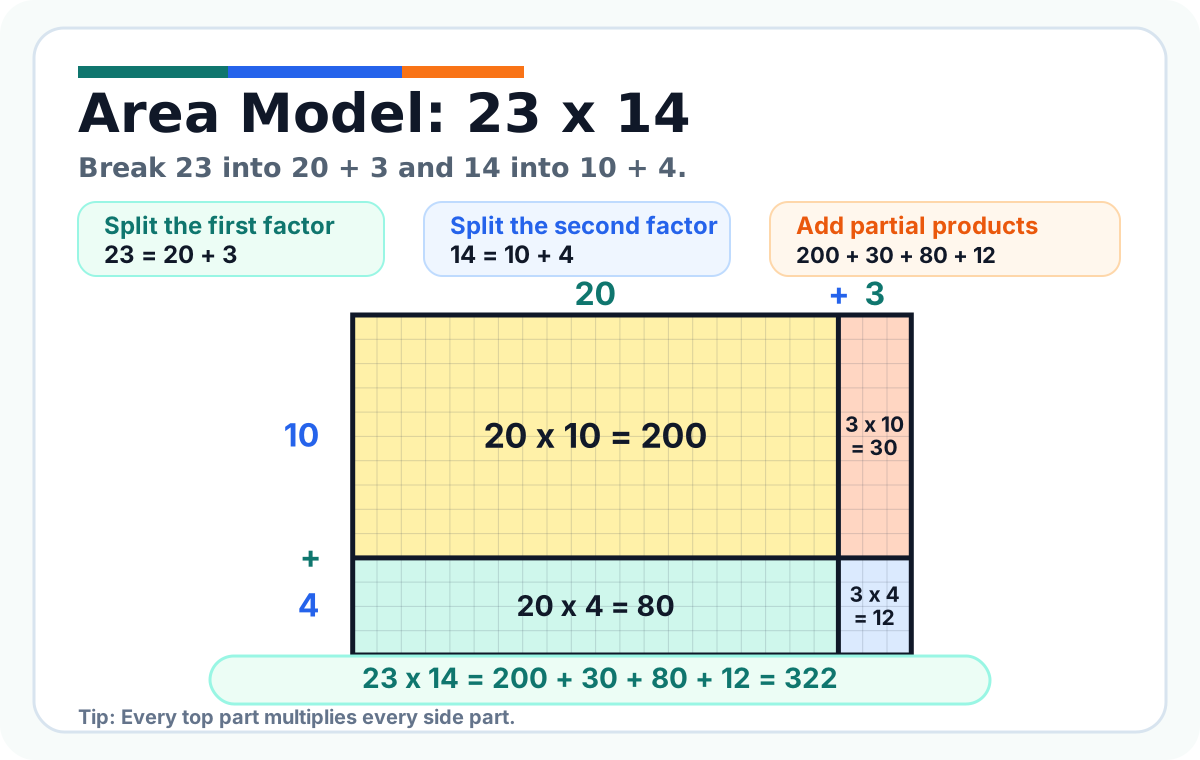
Split the factors: 23 = 20 + 3 and 14 = 10 + 4.
Fill the boxes: 20 x 10 = 200, 3 x 10 = 30, 20 x 4 = 80, and 3 x 4 = 12.
Add the partial products: 200 + 30 + 80 + 12 = 322. So, 23 x 14 = 322.
Example 3: 36 x 18
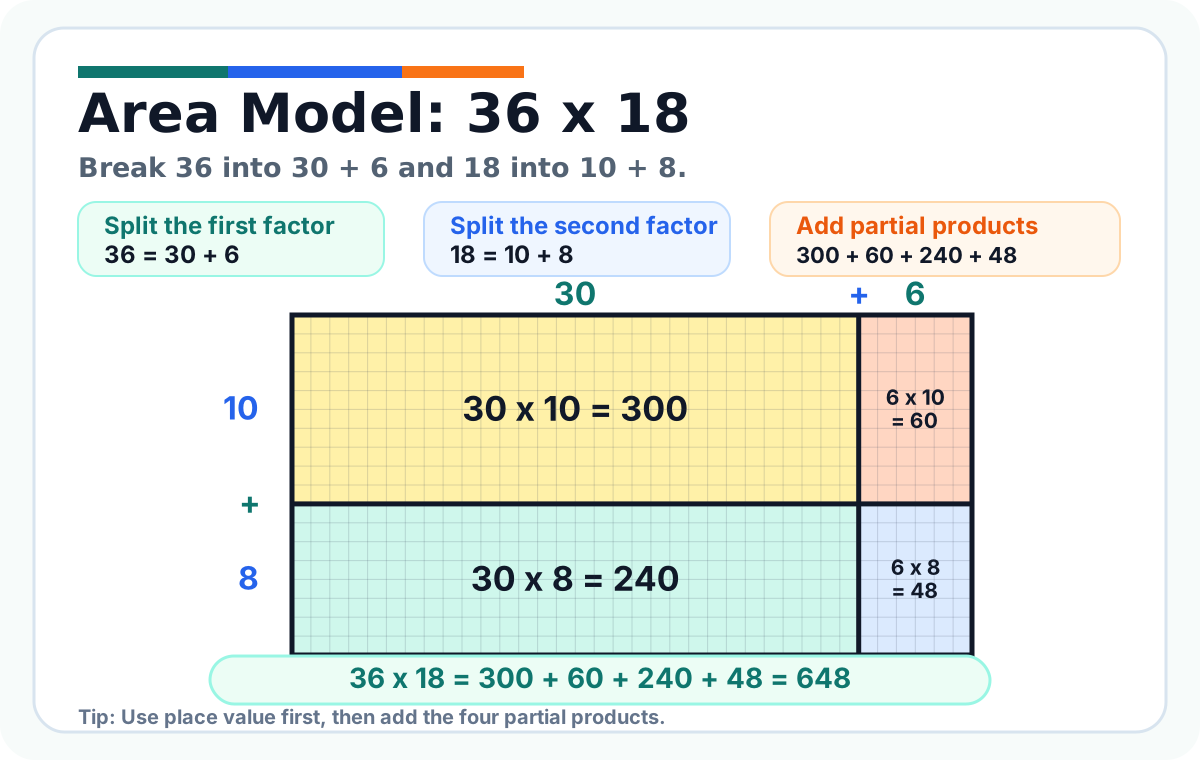
Split the factors: 36 = 30 + 6 and 18 = 10 + 8.
The four boxes are 30 x 10 = 300, 6 x 10 = 60, 30 x 8 = 240, and 6 x 8 = 48.
Add: 300 + 60 + 240 + 48 = 648. So, 36 x 18 = 648.
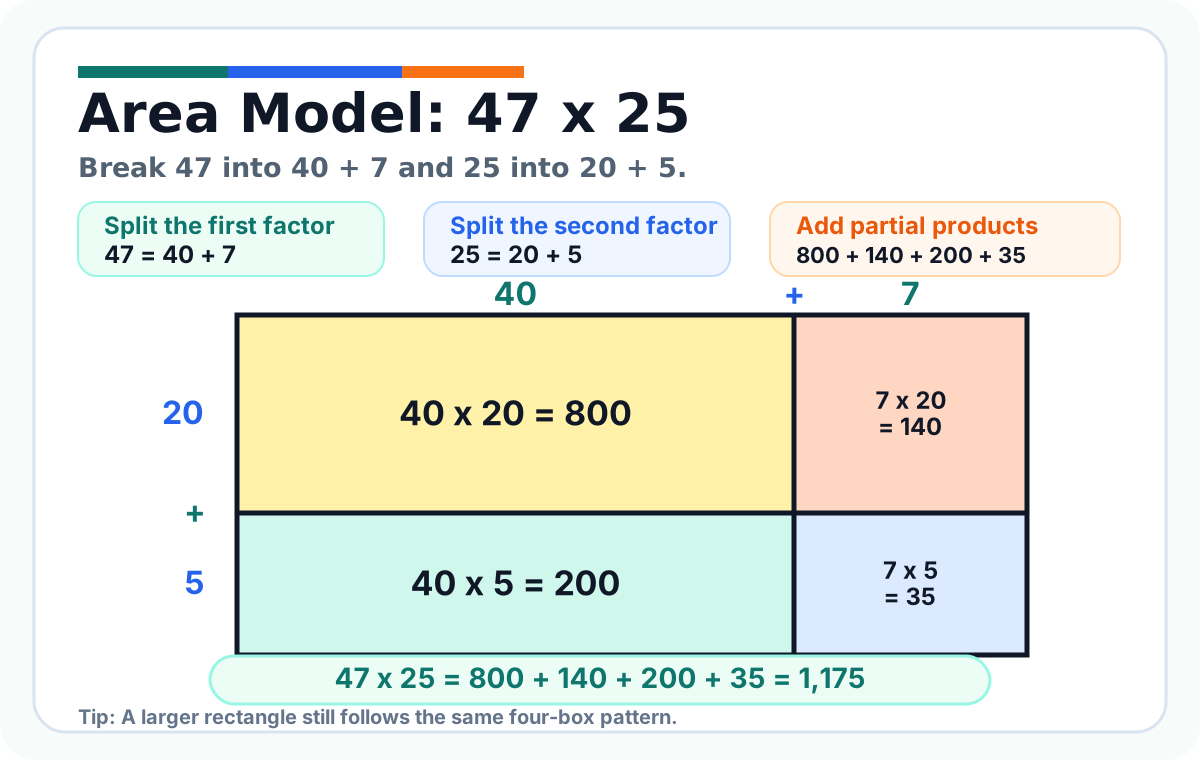
Example 4: 47 x 25
Split the factors: 47 = 40 + 7 and 25 = 20 + 5.
Fill the boxes: 40 x 20 = 800, 7 x 20 = 140, 40 x 5 = 200, and 7 x 5 = 35.
Add carefully: 800 + 140 + 200 + 35 = 1175. So, 47 x 25 = 1175.
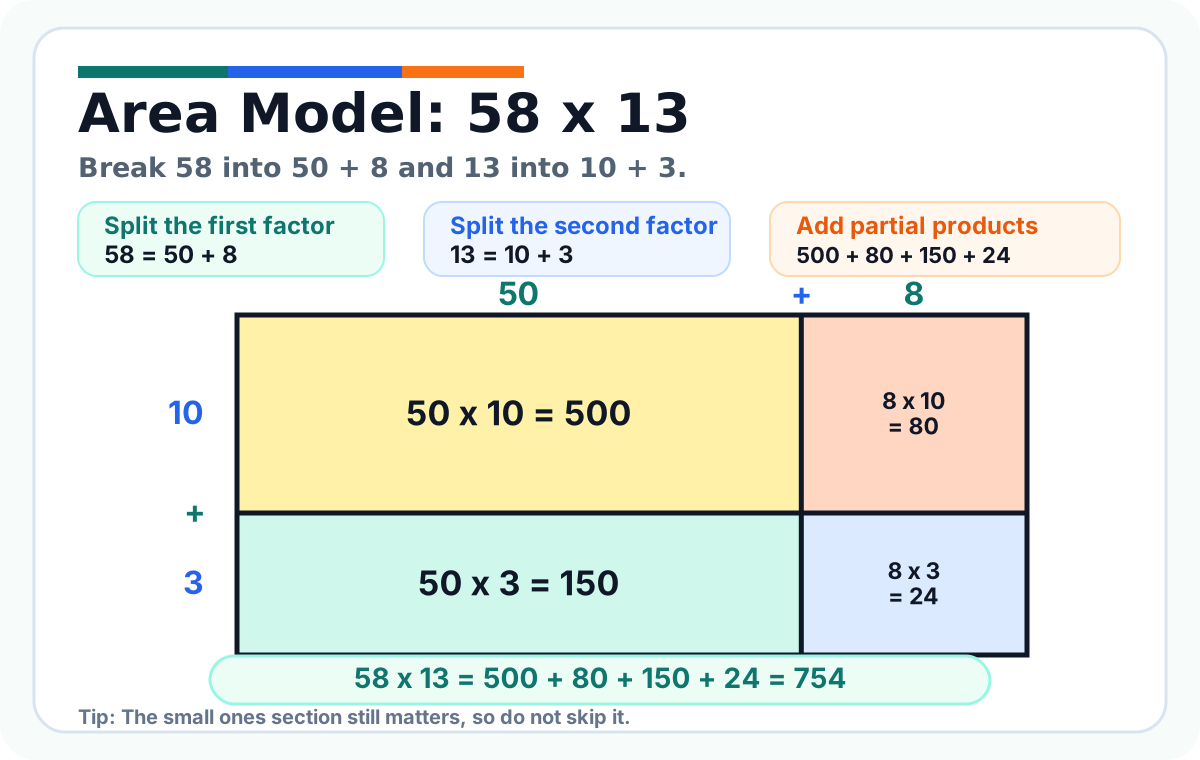
Example 5: 58 x 13
Split the factors: 58 = 50 + 8 and 13 = 10 + 3.
Partial products: 50 x 10 = 500, 8 x 10 = 80, 50 x 3 = 150, and 8 x 3 = 24.
Add: 500 + 80 + 150 + 24 = 754. So, 58 x 13 = 754.
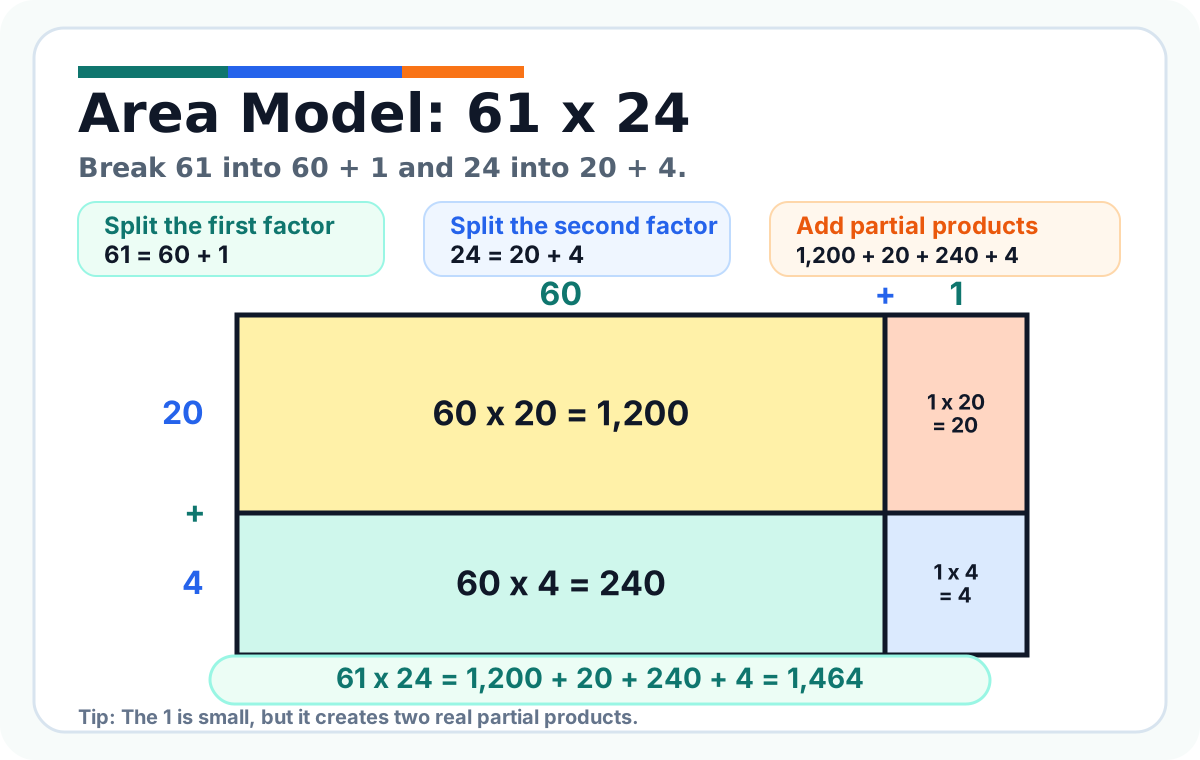
Example 6: 61 x 24
Split the factors: 61 = 60 + 1 and 24 = 20 + 4.
Partial products: 60 x 20 = 1200, 1 x 20 = 20, 60 x 4 = 240, and 1 x 4 = 4.
Add: 1200 + 20 + 240 + 4 = 1464. So, 61 x 24 = 1464.
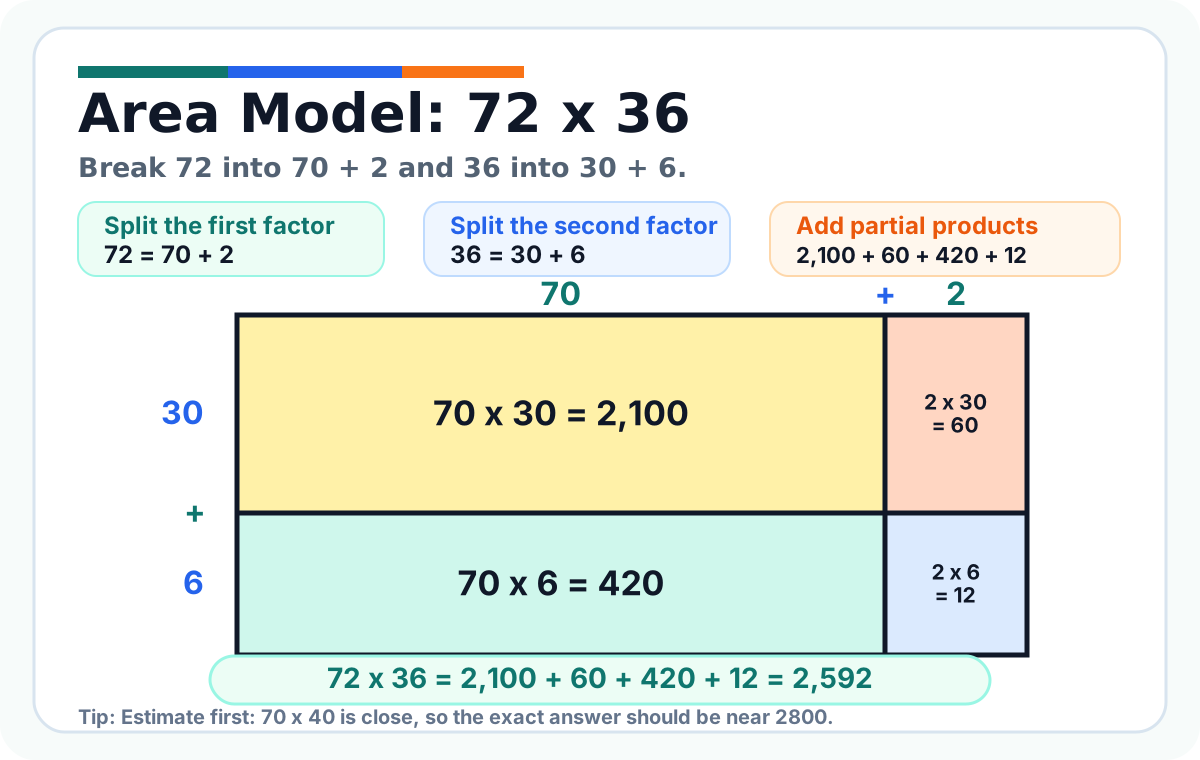
Example 7: 72 x 36
Split the factors: 72 = 70 + 2 and 36 = 30 + 6.
Partial products: 70 x 30 = 2100, 2 x 30 = 60, 70 x 6 = 420, and 2 x 6 = 12.
Add: 2100 + 60 + 420 + 12 = 2592. So, 72 x 36 = 2592.
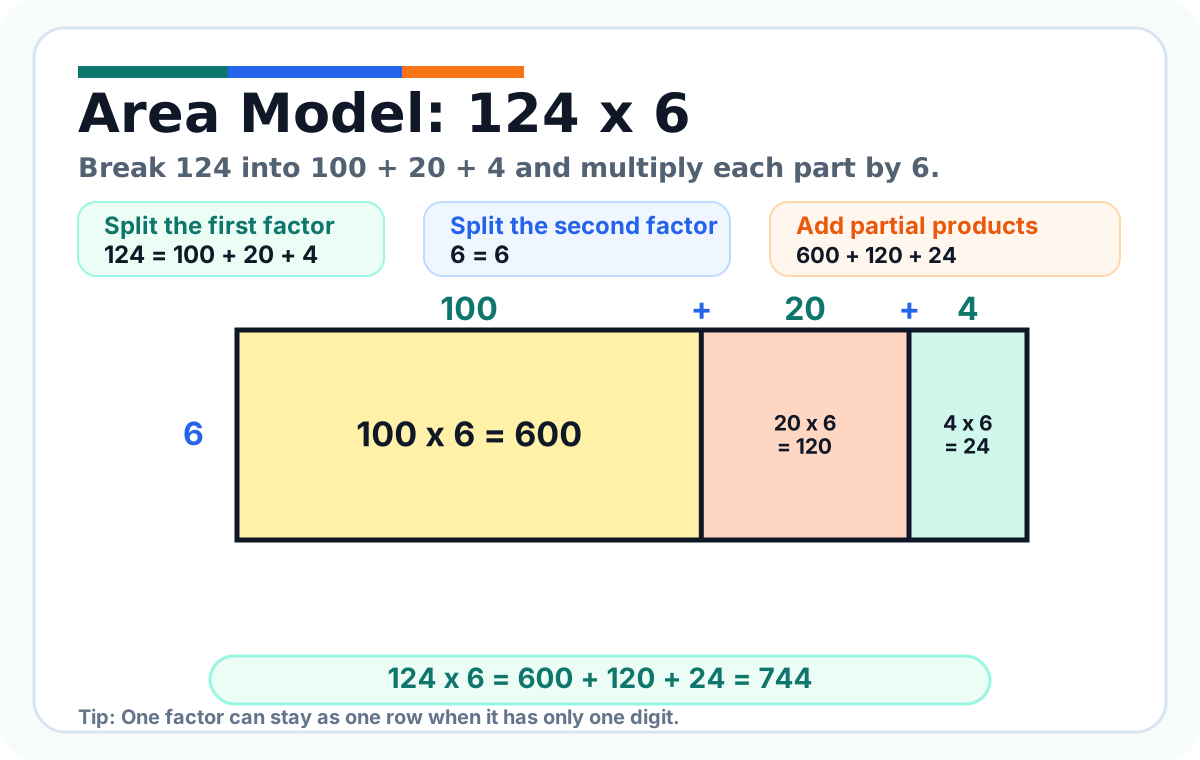
Example 8: 124 x 6
Area models also work when one factor has only one digit.
Split 124 into 100 + 20 + 4. Keep 6 as one row.
Multiply each part by 6: 100 x 6 = 600, 20 x 6 = 120, and 4 x 6 = 24.
Add: 600 + 120 + 24 = 744. So, 124 x 6 = 744.
Example 9: 132 x 14
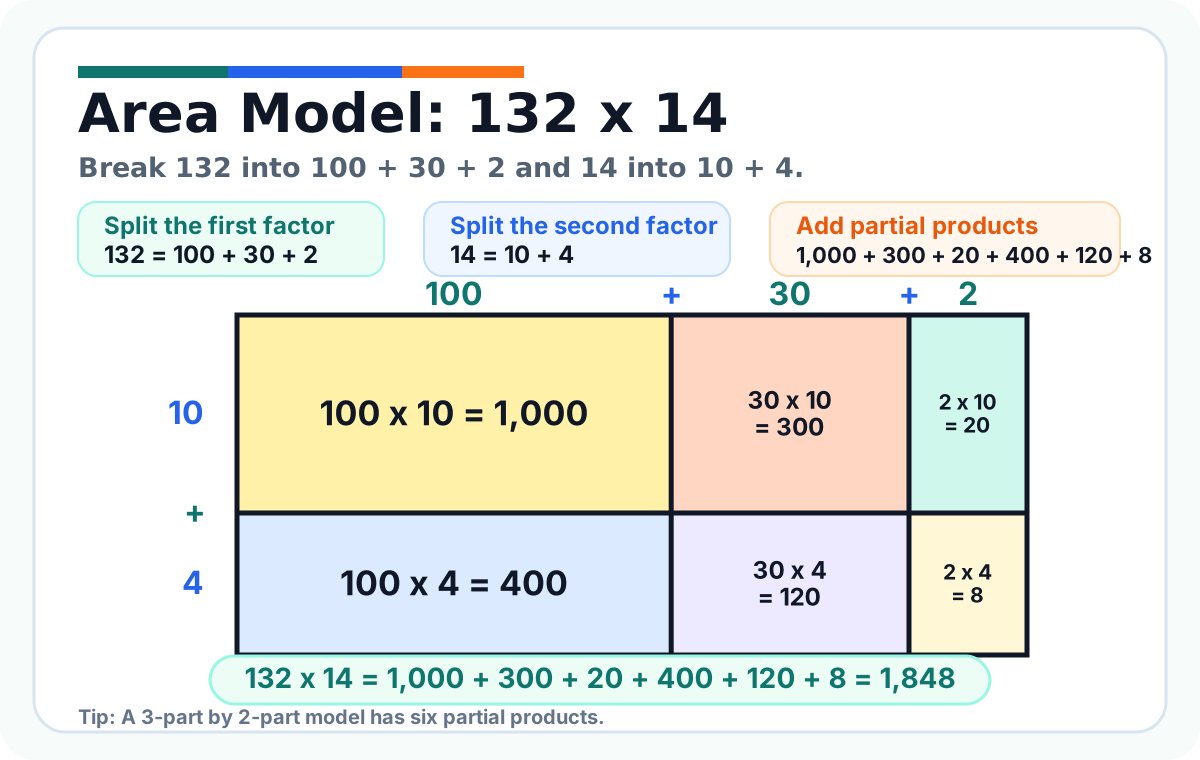
Now try a larger model. Split 132 into 100 + 30 + 2. Split 14 into 10 + 4.
This model has six partial products: 100 x 10 = 1000, 30 x 10 = 300, 2 x 10 = 20, 100 x 4 = 400, 30 x 4 = 120, and 2 x 4 = 8.
Add them: 1000 + 300 + 20 + 400 + 120 + 8 = 1848. So, 132 x 14 = 1848.
How to check your answer
Use estimation before or after solving. For example, 47 x 25 is close to 50 x 25, which is 1250. The exact answer 1175 is close, so it makes sense.
Also check that every place-value part was used. In a 2-digit by 2-digit problem, you usually need four partial products.
If your answer is much too small, you may have forgotten a tens product. If it is much too large, you may have added an extra zero or multiplied the wrong parts.
Common mistakes
Mistake 1: Splitting 34 as 3 + 4 instead of 30 + 4. The 3 is really 3 tens, so it means 30.
Mistake 2: Filling only two boxes in a 2-digit by 2-digit problem. You need to multiply every part by every other part.
Mistake 3: Forgetting to add the partial products at the end. The boxes are pieces of the answer, not separate final answers.
Mistake 4: Writing the right numbers in the boxes but adding them carelessly. Always line up the place values when adding.
Quick practice
Try these with an area model: 24 x 13, 35 x 16, 42 x 27, 63 x 18, and 81 x 22.
Answers: 24 x 13 = 312, 35 x 16 = 560, 42 x 27 = 1134, 63 x 18 = 1134, and 81 x 22 = 1782.
When you finish, print the Area Model Multiplication Worksheets for more practice.